

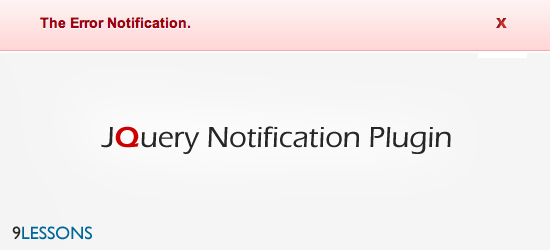
Introducing a new jQuery notification plugin, it helps better and enrich message notification system for your web application. This plugin contains four types of notification systems such as Success, Error, Warning and Information with rich user interface. Very easy to implement just follow the steps.
 Download Script
  Live Demo
Developer

The Basic Setup
1. Include the jQuery and notification libraries into your document
<script src="jquery.js"></script>
<script src="js/jquery_notification_v.1.js"> </script>
<script src="js/jquery_notification_v.1.js"> </script>
2. Include the notification CSS into your document
<link href="css/jquery_notification.css" type="text/css" rel="stylesheet"/>
3. Call this showNotification() function in by passing parameters
showNotification(params);
Example Usage
<html>
<head>
<link href="css/jquery_notification.css" type="text/css" rel="stylesheet"/>
<script src="jquery.js"></script>
<script type="text/javascript" src="js/jquery_notification_v.1.js"></script>
<script type="text/javascript">
$(document).ready(function(){
showNotification({
message: "This is sample notification message",
type: "success",
autoClose: true,
duration: 5
});
});
</script>
</head>
<body>
..................
..................
</body>
</html>
<head>
<link href="css/jquery_notification.css" type="text/css" rel="stylesheet"/>
<script src="jquery.js"></script>
<script type="text/javascript" src="js/jquery_notification_v.1.js"></script>
<script type="text/javascript">
$(document).ready(function(){
showNotification({
message: "This is sample notification message",
type: "success",
autoClose: true,
duration: 5
});
});
</script>
</head>
<body>
..................
..................
</body>
</html>
Usage
To know more Jquery Notification Plugin ..








Awesome! Thanks for the share!
ReplyDeleteNice Men ! Good work i like this !
ReplyDeletevery nice! thx
ReplyDeletereally cool! ;)
ReplyDeleteGreat...
ReplyDeleteReally NICE!
ReplyDeleteNice work thanx.
ReplyDeleteThanks for sharing it! More Power.
ReplyDeleteexactly what I was looking for
ReplyDeletelike like!!!
ReplyDeletereally cool.. thanks... ahmn.. in your demo in this plugin.. You had error in the ajax part of the demo code.. it seems like you forgot to put a comma after the type attribute..
ReplyDeleteanyway, thanks for this.. ^^,
Nice job..i like this
ReplyDeleteThank I like this...!
ReplyDeleteSrivinas & Ravi the best young men. I insert this script next days my Blog. Good morning.
ReplyDeleteRavi,
ReplyDeleteNice little plugin. It has a neat little API that is easy to work with. I have made a few minor adjustments that I would like to make public so I'm curious as to how you have licensed this?
This is great!! thank you for this
ReplyDeleteAnyone any ideas how I could modify this to act like an "update available" notification button and upon clicking displays the update?
ReplyDeleteAny replies appreciated!
great tutorial, thank you for sharing
ReplyDeleteThanks for sharing. I love this plugin.
ReplyDeletethnx for this plugin .
ReplyDeletevery nice
HOw To create a Notification bar like Facebook or Google + ¿?¿? the red icon!
ReplyDeleteThis is great!! thank you for this! I love your plugin.
ReplyDeleteIts so cool,
ReplyDeleteThansk for this plugin, it help me alot!
This is good information thanking you
ReplyDeleteWow, this is well thought plugin with hooks for every situation. I'm surprised to find also a php usage version. You deserve my applause!
ReplyDeleteNICE ty so much, really usefull :)
ReplyDeletethanks for that! found it pretty good, that you used animate() instead of $.slidedown(), so you really got smooth transitions!
ReplyDeletethanks man, you're the best!!
ReplyDeleteGood Job
ReplyDeleteWorks great :)
ReplyDeleteHi Ravi, your plugin works wonderfully. Basically we are a start up good at server side language and database but not so good at the jquery and css part. If i were to use this code , do i have to pay for the license?
ReplyDeletethis can created very easy using YQL :p
ReplyDeleteHy @9lesson in http://demos.9lessons.info/jnotification/index.php
ReplyDeletehow to show/call information by using HTML ?
In ur demo only use < input type="button" class="button" value="Show Success Message" onclick="return showSuccessMessage()"/ >
how to call with HTML script?
Please ur help bri srinivas :-D
can you put a callback function? that executes after the notification close.
ReplyDeletei tried this with php session, but is not working in ie.
ReplyDeletehow can we use this plugin for showing db operation results
ReplyDeleteI am using jsp and after a db operation I tried to call the function automatically but it is not working
A great piece of coding, thanks! Note it doesnt seem to work on internet explorer 9?
ReplyDeletethanks a zillion!
ReplyDeletenice one Dude
ReplyDeleteHi mate, I've found some problem if used inside colorbox plugin. Background of notification become transparent . Any Suggest ?
ReplyDeleteU dont know how much ur script help's new developers...........thank u ...!!
ReplyDeletehey hellow man, how i can use with mysql??
ReplyDeletecan you tell me how to show multiple messages in the same time?
ReplyDeleteDear author,
ReplyDeleteAt the heading "2.Auto Close Notification after some seconds"
the example text starts like : showNotification(){. It doesnt work, it has to start with showNotification({ ....
Please guys, as earlier asked, is there a way to call this function on the click of a button?
ReplyDeleteeg:
< button type="submit" onClick="showNotification()"> Submit Form
Please anyone can help with this and i'll really appreciate... thanks
Give the submit button an ID, then use the jQuery ID selector to trigger the onClick event for calling showNotification()
ReplyDeletehey man, this is very good plugin, except the close "x" button instead of that how can i configure it
ReplyDeleteto "close when simple click on notification" plz give me a hint about it am a newbie in j_query.